
NOTE
3.1 Distributed Load Testing with JMeter
JMeter distributed load-test node configuration and execution.
This is a historical learning note and may contain outdated or incomplete understanding.
1. What Is Distributed Load Testing
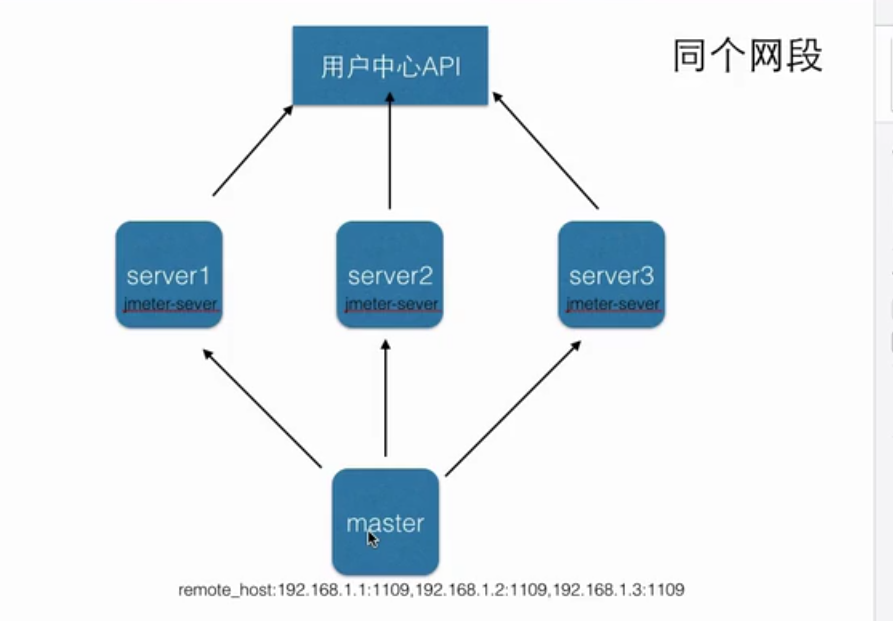
2. Set Up JMeter Load Testing
2.1. Environment Variables
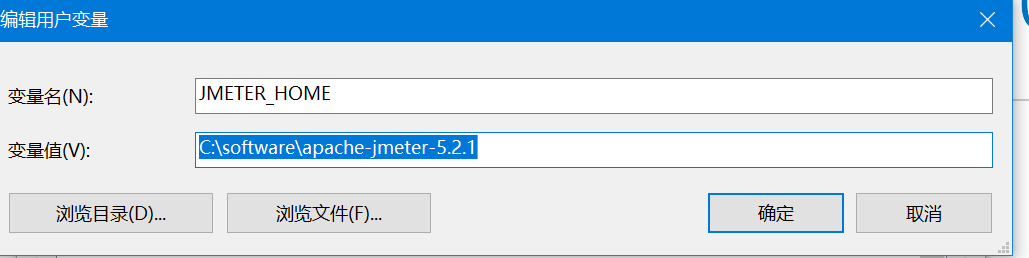
2.2. Load-Testing Nodes
2.2.1. Master Node
- jmeter.properties
# IPs and ports of the slave machines
remote_hosts=localhost:2019,localhost:2020
# Port used by this service
server_port=1099
# Disable SSL
server.rmi.ssl.disable=true
2.2.2. Slave Node 1
- jmeter2019.properties
# IPs and ports of the slave machines
remote_hosts=localhost:2019,localhost:2020
# Port used by this service
server_port=2019
# Disable SSL
server.rmi.ssl.disable=true- Start the server
./jmeter-server -Djava.rmi.server.hostname=localhost -p jmeter2019.properties2.2.3. Slave Node 2
- jmeter2020.properties
# IPs and ports of the slave machines
remote_hosts=localhost:2019,localhost:2020
# Port used by this service
server_port=2020
# Disable SSL
server.rmi.ssl.disable=true- Start the server
./jmeter-server -Djava.rmi.server.hostname=localhost -p jmeter2020.properties2.3. Start the Load Test
- GUI mode
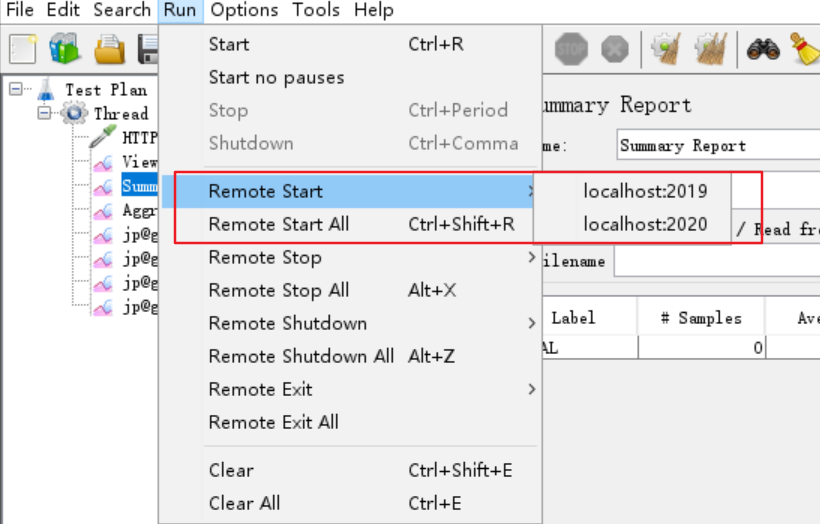
- Non-GUI mode
./jmeter -n -t <USER_HOME>/Desktop/10人.jmx -r -l <USER_HOME>/Desktop/10人.log -e -o <USER_HOME>/Desktop/result
Discussion
Sign in with GitHub to comment. Discussions are stored as GitHub Issues.View on GitHub