
NOTE
4.5 trace
1. Usage Steps: 1. Import package: import runtime/trace 2. Start analysis: trace.Start(file), stop analysis: trace.Stop() 3. Command-line analysis - go tool trace trace.out - 2. References
This is a historical learning note and may contain outdated or incomplete understanding.
1. Usage
The steps are as follows:
- Import the package:
import runtime/trace - Start analysis:
trace.Start(file); stop analysis:trace.Stop()
package main

import (
	"fmt"
	"os"
	"runtime/trace"
)

func main() {
	file, err := os.Create("trace.out")
	if err != nil {
		panic(err)
	}
	defer file.Close()

	err = trace.Start(file)
	if err != nil {
		panic(err)
	}

	fmt.Println("Hello World")

	trace.Stop()
}- Command-line analysis
go tool trace trace.out
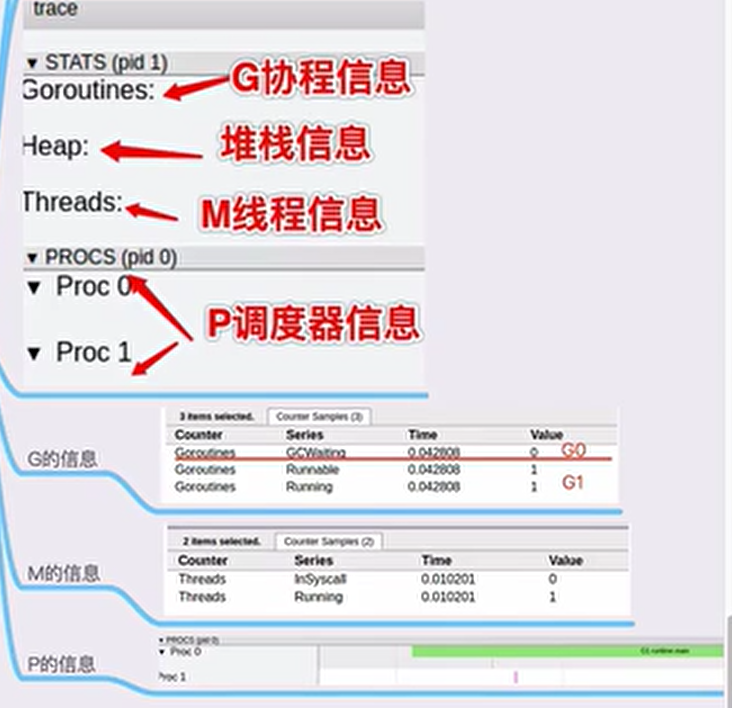
2. References
Go execution tracer | Gopher Academy Blog Go Execution Tracer - Go Language Chinese Website - Golang Chinese Community An Introduction to go tool trace How to analyze the performance of your go application in production | Developer’s life Go code refactoring : the 23x performance hunt | by Val Deleplace | Medium
Discussion
Sign in with GitHub to comment. Discussions are stored as GitHub Issues.View on GitHub