
NOTE
Installing ZooKeeper
Single-node and cluster ZooKeeper installation, configuration, startup, operations, and the Stat structure.
This is a historical learning note and may contain outdated or incomplete understanding.
1. Standalone Version
1.1. Download
1.2. Configuration
- conf/zoo.cfg
tickTime=2000
dataDir = /var/lib/zk
clientPort=2181- Cluster configuration
tickTime=2000
dataDir = /var/lib/zk
clientPort=2181
initLimit=5
syncLimit=2
server.1=zoo1:2888:3888
server.1=zoo2:2888:3888
server.1=zoo3:2888:3888
1.3. Start
bin/zkServer.sh start1.4. Operations
# Create a node
create /zk_test my_data
# Delete a node
delete /zk_test
# Recursively delete a node
rmr /zk_test
# List file nodes
ls /zk_test
# List file nodes and metadata
ls2 /zk_test
# View node status
stat /zk_test
# Get data from a node
get /zk_test
# Update a node
set /zk_test junk

# Watch node changes. Once the value changes, an event is triggered. It is triggered only once.
get -w /zk_test
# Watch node changes. Once child nodes change, an event is triggered. It is triggered only once.
ls -w /zk_test

# Help
help
1.4.1. Stat Structure
cZxid: the transaction ID of the change that caused the znode to be created.
mZxid: the transaction ID of the last change that modified the znode.
pZxid: the transaction ID of the znode change used to add or remove child nodes.
ctime: the znode creation time in milliseconds since 1970-01-01T00:00:00Z.
mtime: the znode’s most recent modification time in milliseconds since 1970-01-01T00:00:00Z.
dataVersion: the number of changes made to this znode’s data.
cversion: the number of changes made to the child nodes of this znode.
aclVersion: the number of changes made to this znode’s ACL.
ephemeralOwner: if the znode is an ephemeral node, this is the session ID of the znode owner. If the znode is not ephemeral, this field is set to zero.
dataLength: the length of the znode data field.
numChildren: the number of child nodes of the znode.
2. Cluster Version
2.1. Download
2.2. Configuration
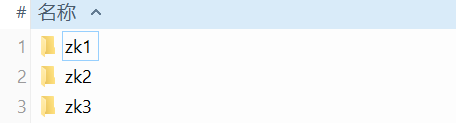
2.2.1. Extract Three ZooKeeper Folders
2.2.2. Create the data Folders
mkdir -p zk1/data
mkdir -p zk2/data
mkdir -p zk3/data
2.2.3. Create myid
echo "1" > zk1/data/myid
echo "2" > zk2/data/myid
echo "3" > zk3/data/myid
2.2.4. Modify the Configuration Files
- zk1
tickTime=2000
initLimit=10
syncLimit=5
dataDir=<USER_HOME>/software/zks/zk1/data
clientPort=2181
server.1=127.0.0.1:2222:2223
server.2=127.0.0.1:3333:3334
server.3=127.0.0.1:4444:4445- zk2
tickTime=2000
initLimit=10
syncLimit=5
dataDir=<USER_HOME>/software/zks/zk2/data
clientPort=2182
server.1=127.0.0.1:2222:2223
server.2=127.0.0.1:3333:3334
server.3=127.0.0.1:4444:4445- zk3
tickTime=2000
initLimit=10
syncLimit=5
dataDir=<USER_HOME>/software/zks/zk3/data
clientPort=2183
server.1=127.0.0.1:2222:2223
server.2=127.0.0.1:3333:3334
server.3=127.0.0.1:4444:4445
2.3. Start
zk1/bin/zkServer.sh start
zk2/bin/zkServer.sh start
zk3/bin/zkServer.sh start
2.4. Operations
2.4.1. View Status
zk1/bin/zkServer.sh status //follower
zk2/bin/zkServer.sh status //leader
zk3/bin/zkServer.sh status //follower
Discussion
Sign in with GitHub to comment. Discussions are stored as GitHub Issues.View on GitHub