
NOTE
2.14 What Happens After Entering a URL in the Browser
Historical notes on the sequence of events after entering a URL in a browser.
This is a historical learning note and may contain outdated or incomplete understanding.
1. Brief Process
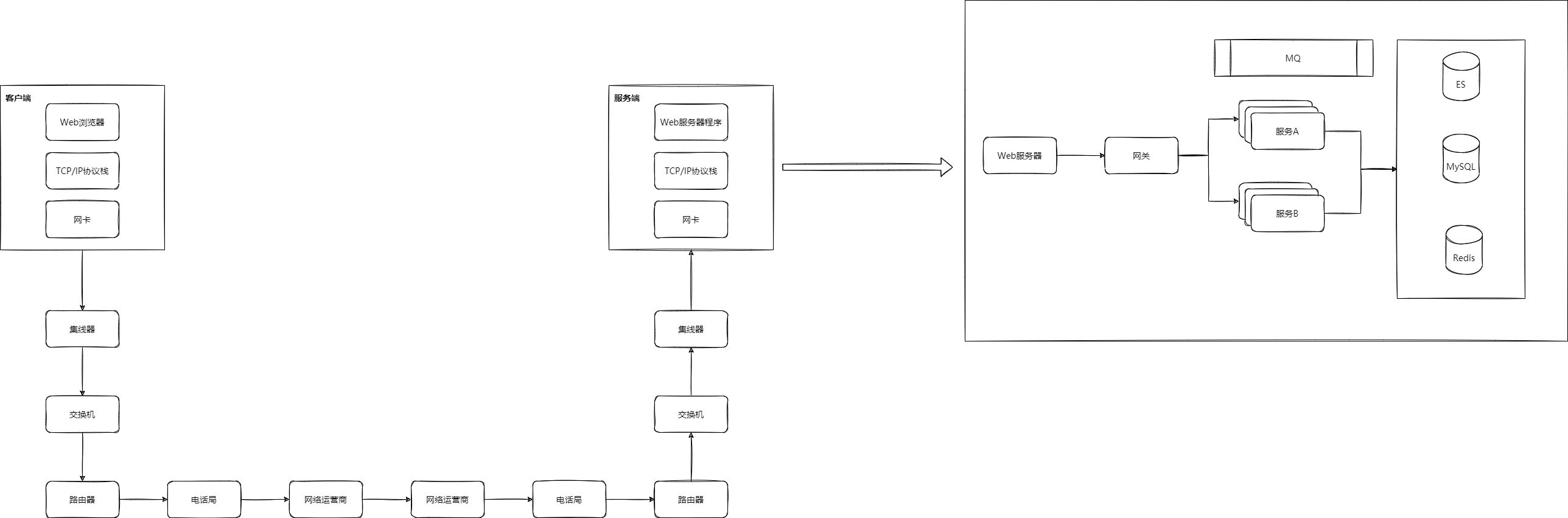
-
Parse the URL.
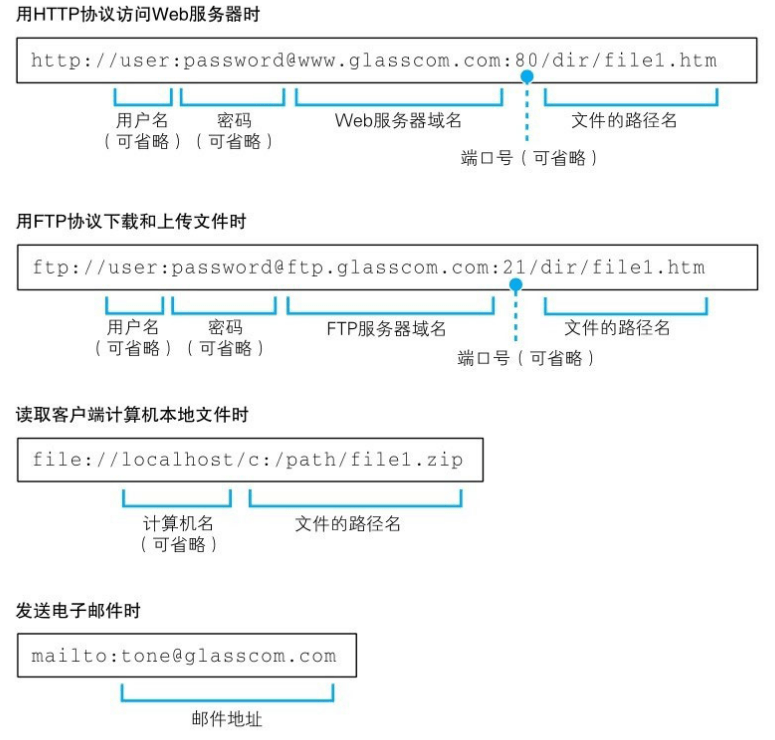 For example,
 https://www.baidu.comorhttps://www.baidu.com/->https://www.baidu.com/index.html, whilehttps://www.baidu.com/dirfirst checks whether there is a file nameddir, and if not, checks for a directory. -
DNS domain-name resolution.
DNS -
Establish a TCP connection with a three-way handshake.
TCP Three-Way Handshake
ARP
IP Protocol -
If it is HTTPS, establish an HTTPS connection as well.
HTTPS -
After the TCP connection is established, generate an HTTP Request to request the HTML.
HTTP Message Format.md -
The server returns an HTTP Response and the browser obtains the HTML code.
-
The browser parses the HTML and requests resources referenced by the HTML, such as JS, CSS, and images.
-
Request API data according to the JavaScript.
-
Nginx receives the request and forwards it to the upstream API gateway. The API gateway forwards it to the upstream server. The upstream server checks Ehcache, Redis, and the database, and the result is returned step by step.
-
The browser renders the page and presents it to the user.
-
Close the connection with the TCP four-way teardown.
TCP Four-Way Teardown
Discussion
Sign in with GitHub to comment. Discussions are stored as GitHub Issues.View on GitHub