
NOTE
2.8 Kafka Message Disk Storage
Kafka log directory structure, sparse indexes, log cleanup, and notes on why Kafka is fast.
This is a historical learning note and may contain outdated or incomplete understanding.
1. Log
1.1. Log Directory Structure
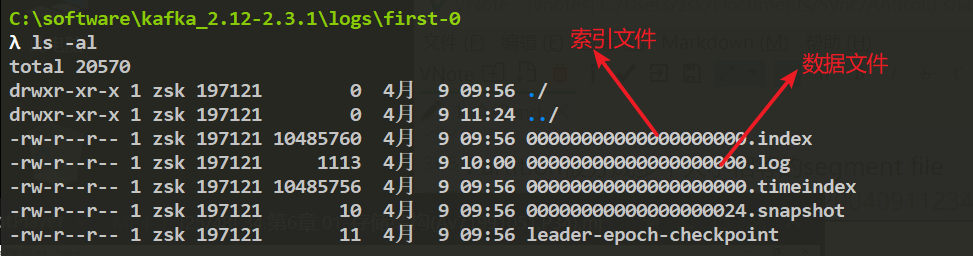
<topic>-<partition>
    xxx.index (xxx is the offset of the first log entry)
    xxx.log
xxx.timeindex- Each partition has one directory containing four kinds of files:
.index,.log,.timeindex, andleader-epoch-checkpoint. - The
.index,.log, and.timeindexfiles appear in groups, with the prefix being the offset of the last message in the previous segment.- The
.logfile stores all messages. - The
.indexfile stores a sparse index of relative offsets. - The
.timeindexfile stores the time index. .leader-epoch-checkpointstores the offset at which each leader generation began writing messages and is updated periodically; when a follower is elected leader, it uses this to determine which messages are available.
- The
1.2. Process of Finding a Message
1.2.1. What Index Files Exist?
Each log segment has two indexes, .index and .timeindex, used to improve message lookup efficiency.
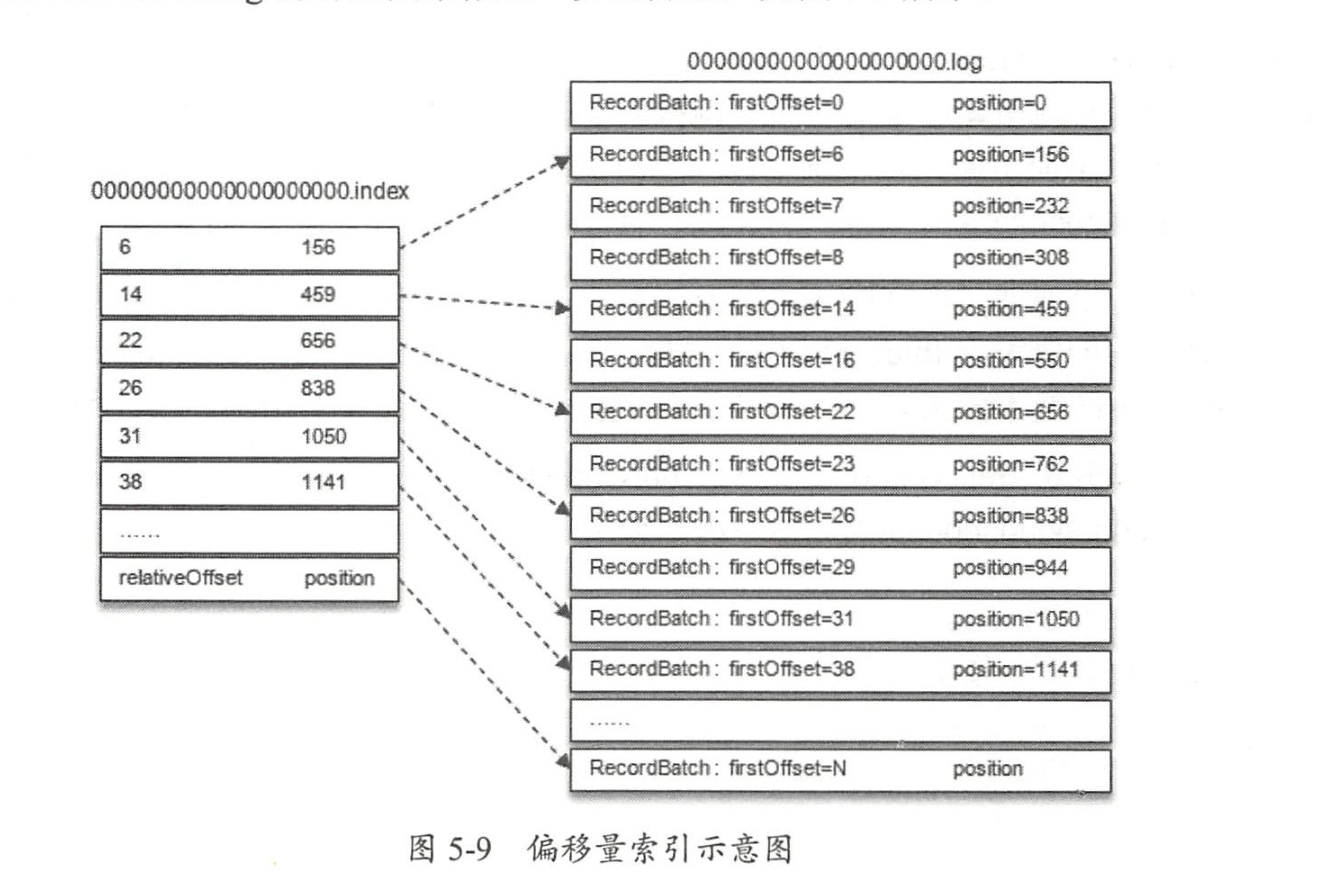
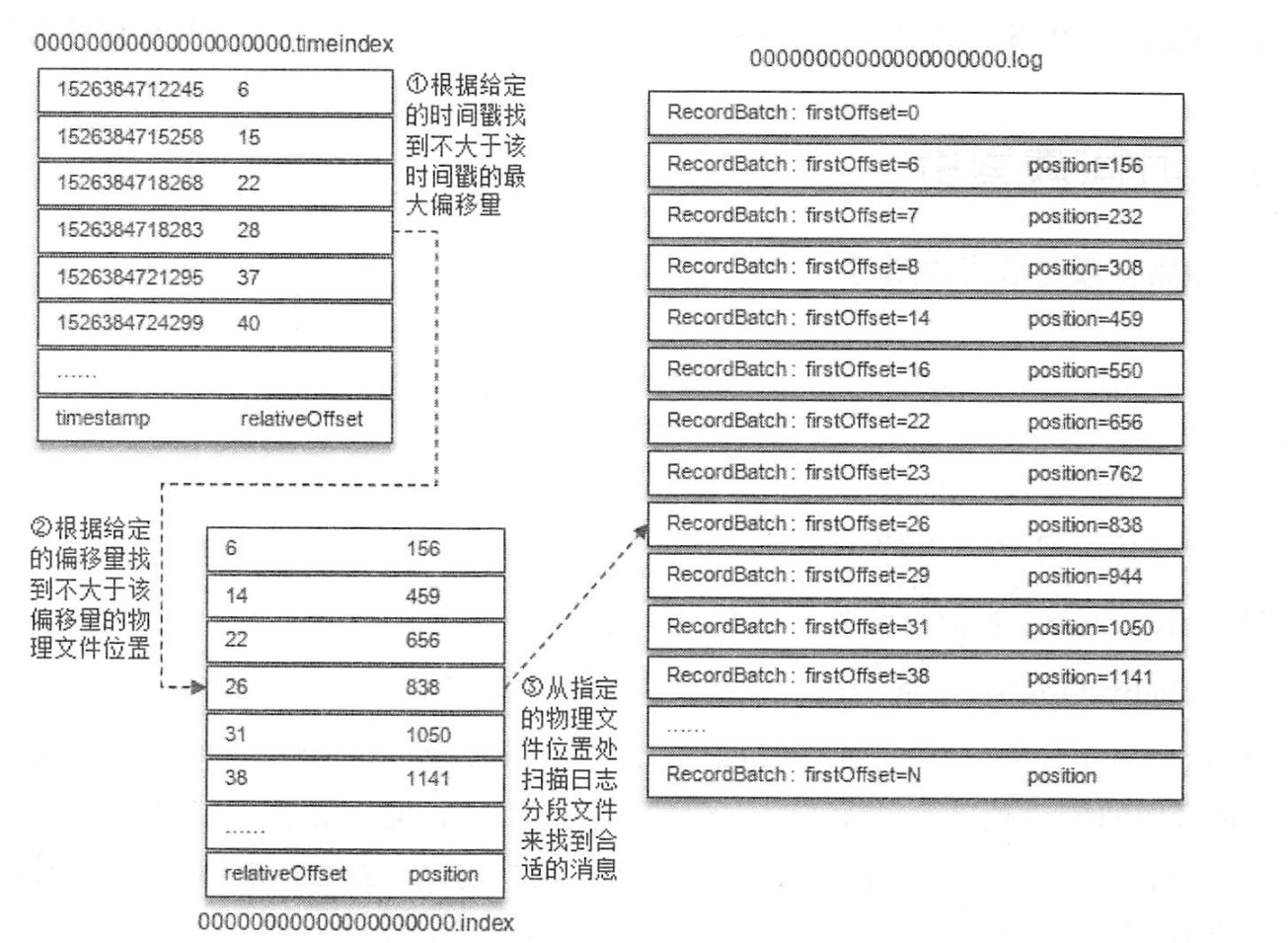
.index: offset -> physical address..timeindex: timestamp -> offset. The indexes are stored as sparse indexes. An index entry is added only after a certain amount of message data has been written. During lookup, binary search is used (the largest offset not greater than the target offset)..index.timeindex
1.2.2. Lookup by Offset
Kafka’s index files are sparse indexes and do not guarantee that every message has a corresponding index entry. The offset index is monotonically increasing. When querying a specified offset, binary search is used to quickly locate its position. If the specified offset is not in the index file, the largest offset not greater than the specified offset is returned.
1.2.3. Lookup by Time
The timestamp index file is also kept strictly monotonically increasing. Binary search is similarly used to find the offset corresponding to a timestamp, and then that offset is used to search the offset index file for another positioning step.
1.3. Log Cleanup Strategies
- Log deletion: directly delete log segments that do not meet a retention policy.
- Log compaction: consolidate by each message key. For the same key with different values, only the latest version is retained.
1.3.1. Log Deletion
- A dedicated log-deletion task periodically checks and deletes log segments that do not meet the conditions.
- Three retention strategies:
- Time-based: the log-deletion task checks whether the current log contains log-segment files whose retention time exceeds the configured threshold. The threshold can be configured through broker parameters
log.retention.hours,log.retention.minutes, andlog.retention.ms, with increasing priority. By default, onlylog.retention.hoursis configured, with a value of 168, meaning the default retention time for log-segment files is 7 days. - Log-size-based: the log-deletion task checks whether the current log contains log-segment files whose size exceeds the configured threshold. The threshold can be configured through the broker parameter
log.retention.bytes(the total size of all log files in a Log). Its default value is -1, meaning unlimited. The size of a single log segment is limited bylog.segment.bytes, whose default value is 1073741824, or 1 GB. - Log-start-offset-based: this retention strategy checks whether the starting offset
baseOffsetof the next log segment is smaller thanlogStartOffset. If so, the current log segment can be deleted.
- Time-based: the log-deletion task checks whether the current log contains log-segment files whose retention time exceeds the configured threshold. The threshold can be configured through broker parameters
1.3.2. Log Compaction
Consolidate by each message key. For the same key with different values, only the latest version is retained.
2. Why Kafka Is So Fast
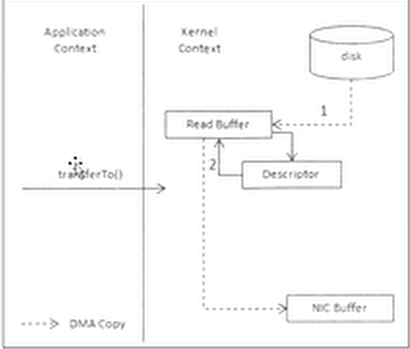
- Zero copy
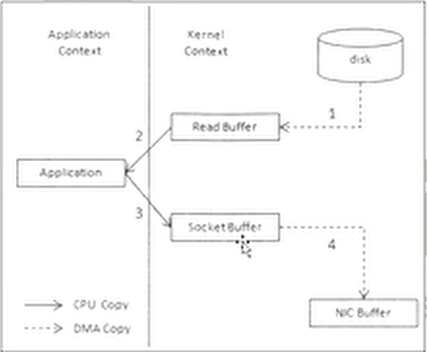
- Zero-Copy Mechanism
- Without zero copy: 4 copies and 4 context switches.
- With zero copy: 2 copies and 2 context switches.
- Messages are appended sequentially (sequential disk reads/writes versus random memory reads/writes).
- Common sense says memory is definitely faster than disk; what is discussed here is disk I/O and memory access under the virtual-memory mechanism.
- Sequential disk reads/writes use the locality principle of virtual memory, while random memory reads/writes can cause virtual-memory page faults.
- Page cache
- Disk I/O: application buffer -> C library standard I/O buffer -> filesystem page cache -> disk through the specific filesystem.
- On reads, pull from page cache first; if present, return directly. Otherwise, fetch from disk and place it into page cache.
- On writes, data is handed to the operating system’s page cache instead of being written directly to disk, and is flushed to disk periodically.
Discussion
Sign in with GitHub to comment. Discussions are stored as GitHub Issues.View on GitHub