
NOTE
3.3 RabbitMQ Cluster Modes
RabbitMQ normal and mirrored cluster modes and a small cluster setup example.
This is a historical learning note and may contain outdated or incomplete understanding.
1. Cluster Modes
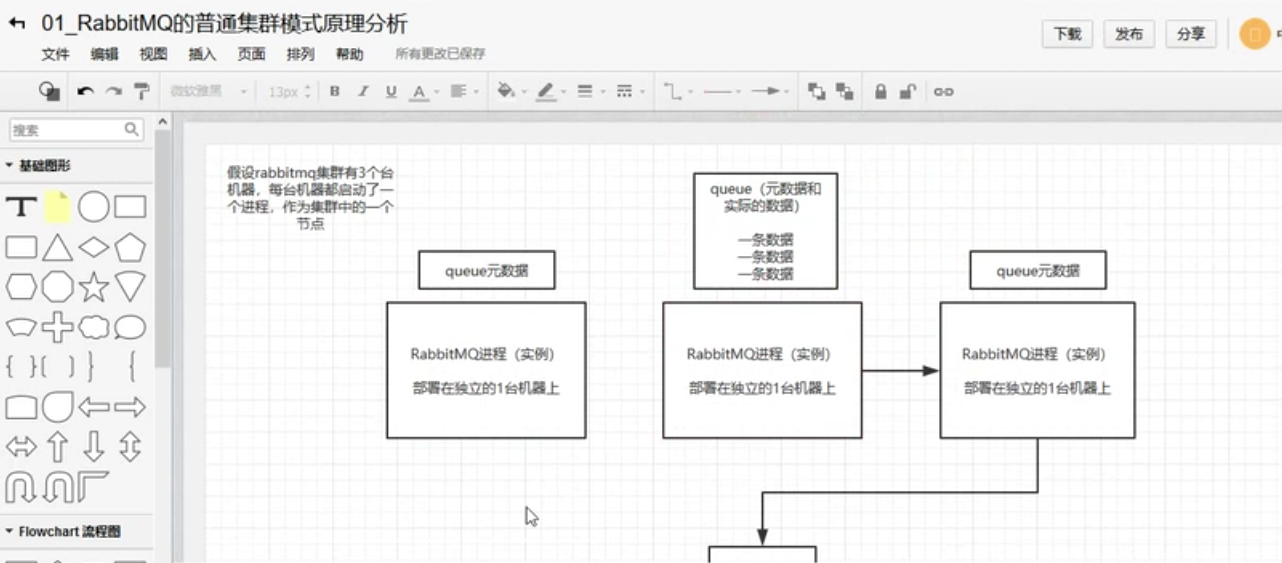
1.1. Normal Cluster Mode
The master node stores metadata and queue data, while the other nodes store only metadata. A consumer can send a request to any node. If the node is a slave, it forwards the request to the master for processing and then returns the result to the client.
- Advantages
- Improves consumer throughput.
- Disadvantages
- May generate a large amount of data transfer within the cluster.
- If the master goes down, all data is lost.
1.2. Mirrored Cluster Mode
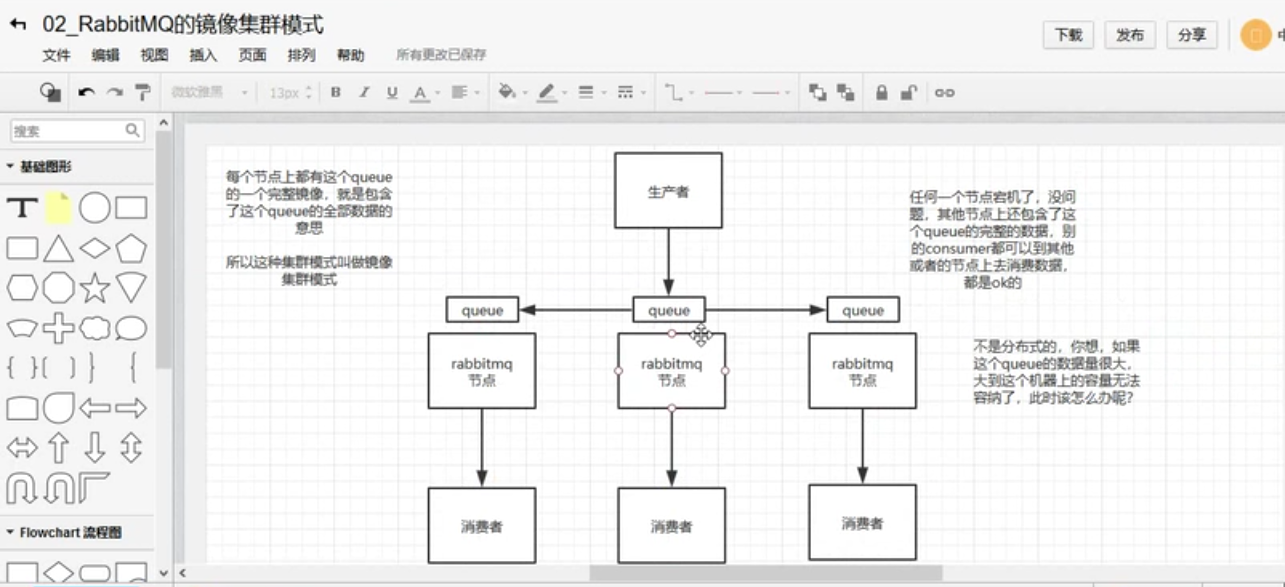
Every node in the cluster has a complete copy of the queue data. If one node goes down, it does not affect the other nodes.
- Advantages
- True high availability.
- Disadvantages
- It is not distributed; the data may become too large to store on a single machine.
2. Building the Cluster
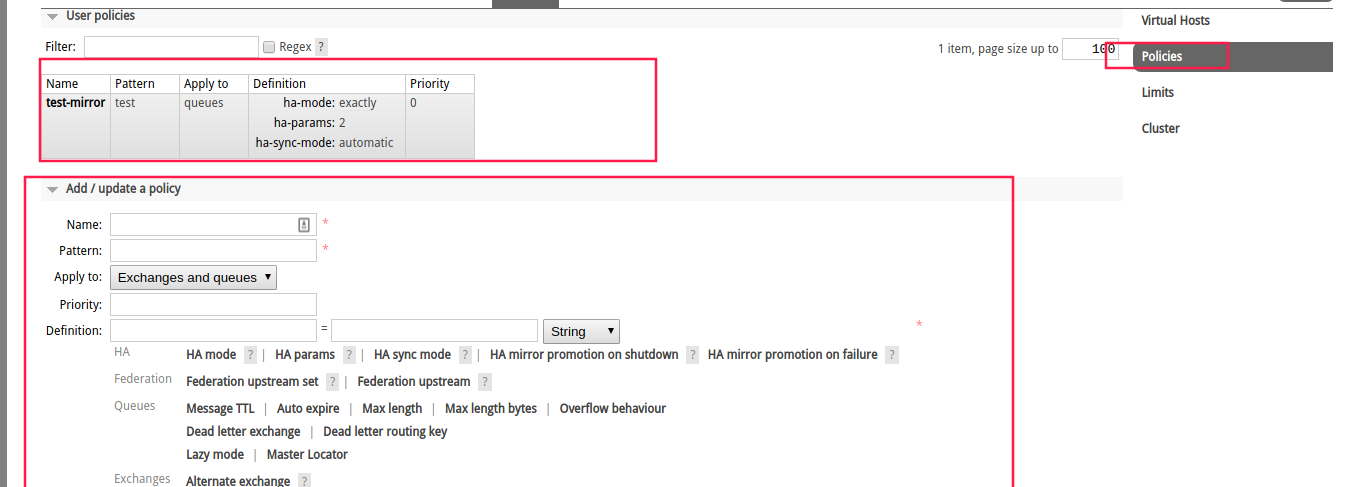
In RabbitMQ cluster mode, every node has queue metadata, but only one node has the queue data. If queue data needs to be replicated to all nodes, mirrored queue mode must be enabled.
2.1. Normal Cluster
2.1.1. rabbitmq5673.sh
#!/bin/bash
RABBITMQ_NODE_PORT=5673 RABBITMQ_SERVER_START_ARGS="-rabbitmq_management listener [{port,15673}] -rabbitmq_stomp tcp_listeners [61613] -rabbitmq_mqtt tcp_listeners [1883]" RABBITMQ_NODENAME=rabbit5673 ./rabbitmq-server
2.1.2. rabbitmq5674.sh
#!/bin/bash
RABBITMQ_NODE_PORT=5674 RABBITMQ_SERVER_START_ARGS="-rabbitmq_management listener [{port,15674}] -rabbitmq_stomp tcp_listeners [61614] -rabbitmq_mqtt tcp_listeners [1884]" RABBITMQ_NODENAME=rabbit5674 ./rabbitmq-server
2.1.3. join_cluster.sh
#!/bin/bash
sudo rabbitmqctl -n rabbit5674@example-host stop_app
sudo rabbitmqctl -n rabbit5674@example-host reset
sudo rabbitmqctl -n rabbit5674@example-host join_cluster rabbit5673@example-host
sudo rabbitmqctl -n rabbit5674@example-host start_app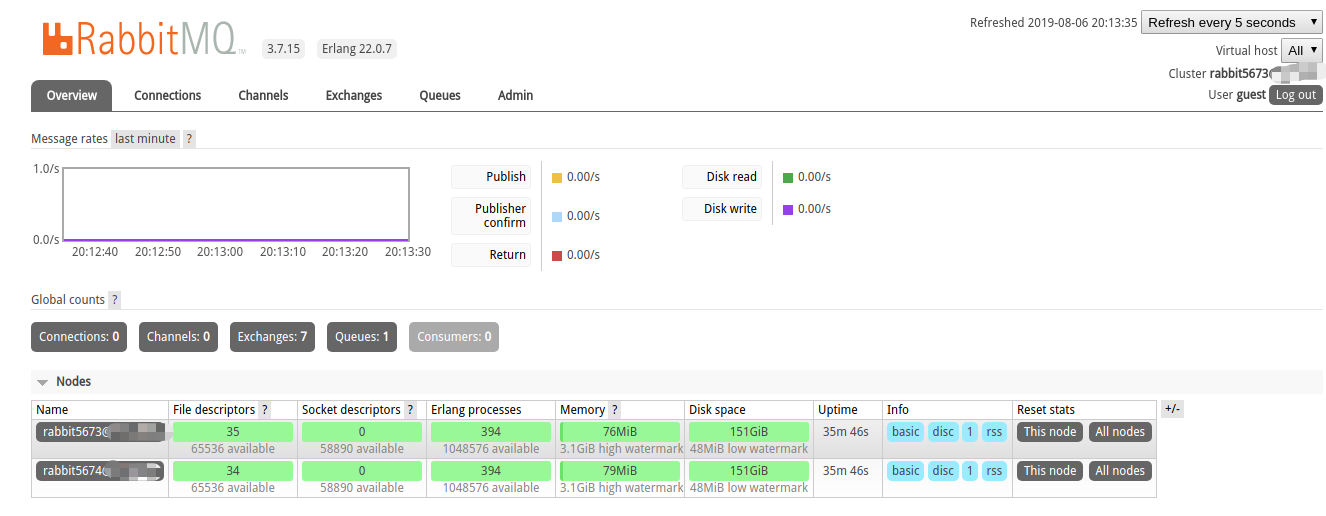
2.2. Mirrored Replication
Discussion
Sign in with GitHub to comment. Discussions are stored as GitHub Issues.View on GitHub